Many users still approach AI virtual assistants as if they were just quick-answer tools for simple chores. In reality, current assistants can do far more. They can support planning, writing, analysis, coordination, and day-to-day decision-making in ways that affect both work and personal routines. This guide looks at what these assistants can truly do, how to get stronger results from them, and why they are becoming a bigger part of modern life.
1. How an AI Virtual Assistant Really Works
An AI virtual assistant combines natural language understanding, learning systems, and software connections to help manage activity across calendars, inboxes, messaging tools, and apps. Unlike rigid automation that only follows prewritten rules, an AI assistant can respond to context, recognize patterns in what you need, and become more useful with continued use through conversational interaction.
At its foundation, a strong assistant can interpret everyday language, infer intent, remember preferences from previous requests, connect with outside platforms, and carry out linked actions from a spoken or typed instruction. That mix is what makes it feel less like a static tool and more like an active digital helper.
2. Leading AI Assistants and Where They Shine
Different assistants are strongest in different environments, so the best choice depends on the ecosystem you already use and the kind of support you want most.
Google Assistant fits naturally into Android devices, Google services, and many connected home products. It is especially effective for quick voice commands, searches, reminders, and everyday productivity tasks.
Siri works best for people invested in Apple's devices and software. Its main advantage is smooth operation across iPhone, iPad, Mac, and other Apple hardware, making hands-free control simple for that audience.
Alexa is particularly well suited to smart home use. It handles routines, device coordination, and voice-driven control of household systems with a level of convenience that appeals to home automation users.
Microsoft Copilot stands out in business settings because it connects closely with Windows, Teams, and Microsoft 365. It is especially helpful for handling documents, workplace communication, and data-related tasks across enterprise workflows.
ChatGPT, especially in advanced versions, is known for drafting content, reasoning through complex questions, assisting with code, and supporting research. Because it can be used in browsers, through APIs, and with outside tools, it is flexible for both individual and professional use.
3. Setting Up an Assistant to Save More Time
Start by deciding what you actually want the assistant to improve. For some people that means scheduling and reminders. For others it means drafting content, tracking tasks, or reducing repetitive admin work.
After that, connect the services that matter most. Linking email and calendar platforms such as Gmail, Outlook, or Apple Calendar can make scheduling far easier and reduce manual coordination.
Productivity and business tools also matter. Integrations with platforms like Asana, Trello, Notion, or Salesforce allow the assistant to support project management, customer tracking, and internal workflows more effectively.
File storage should not be ignored either. When you connect services such as Google Drive, Dropbox, or OneDrive, assistants can surface documents faster, summarize files, and support smoother information retrieval. From there, you can build routines such as a morning overview of meetings and priorities, a Friday recap of team progress, or timed updates sent automatically to the right channel.
4. Tasks You Can Already Hand Off
In professional settings, AI assistants can help organize meetings with agendas and links, turn virtual calls into transcripts and summaries, prepare spreadsheet-based reports, and send follow-up notes or reminders without requiring constant manual effort.
At home, they can manage reminders for bills, exercise, and errands, maintain shopping lists through voice input, support tracking of sleep or workouts, and send household announcements such as a quick family-wide dinner alert.
5. Higher-Level Workflows for Experienced Users
Power users often go beyond built-in commands by using connectors such as Zapier, Make, or Power Automate. That makes it possible to trigger multi-step flows across apps, for example recording a finished Asana task in Notion and then notifying a Slack channel automatically.
Content work is another strong area. Assistants can turn a short prompt into a blog draft or newsletter outline, help generate slide content in presentation tools, and speed up the creation of social captions, tags, and variations for different platforms.
They are also increasingly useful for data exploration. Users can ask for help interpreting Excel sheets or SQL outputs, request visualizations, get explanations of trends, or produce rough forecasts without needing every stakeholder to be highly technical.
In support and knowledge operations, assistants can propose replies to incoming tickets, refresh help documentation, and power chat systems that hand difficult or emotionally charged cases to a human based on sentiment, urgency, or keyword detection.
6. How Industries Are Putting AI Assistants to Work
In healthcare, assistants are being used to capture physician notes directly into electronic records, reduce paperwork, and streamline documentation during busy clinical schedules.
They can also handle patient reminders, collect symptoms before visits through triage bots, and surface reference information for care teams. Some hospitals report documentation time dropping by about 40% with this kind of support.
In legal work, AI assistants help review agreements for missing terms, risks, or inconsistencies, making contract analysis faster and easier to scale.
They can also locate relevant case law, condense rulings, assist with billing-related admin, and support the drafting of briefs or client communication. Some firms report cutting research time by as much as 60%.
In education, teachers use assistants to build lesson plans aligned to standards, generate quizzes, and reduce repetitive grading burdens.
These tools can also monitor student progress, recommend early interventions, and help learners restate difficult passages, understand problems, or organize study time. Educators often say AI makes personalization easier across larger groups.
In finance, assistants can watch key metrics such as margins, expenses, and other performance indicators while turning spreadsheet data into clearer visual reporting.
They can also flag possible compliance concerns or suspicious behavior and power customer-facing chat systems that answer account questions or summarize portfolio information. The result is often better visibility and more informed decisions.
In manufacturing, AI assistants support early detection of equipment issues, helping teams act before breakdowns become expensive interruptions.
They can also improve stock planning, automate reordering, review production timing, and deliver standard operating guidance when workers need it. Predictive maintenance supported by AI has reduced downtime by up to 25% in some cases.
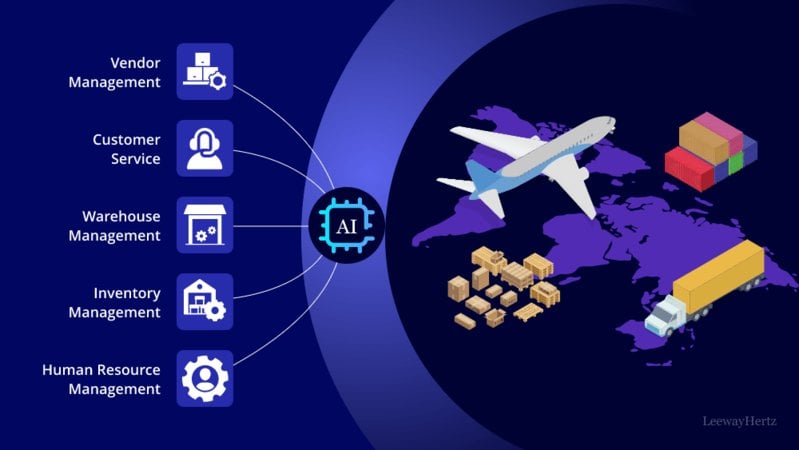
In logistics and supply chain operations, assistants help track shipments as they move, provide live status updates, and alert teams to shortages or delays.
They can also manage customer messages around orders and returns while suggesting route adjustments for transport fleets. These capabilities help reduce lag and improve fulfillment precision.
7. What Comes Next for Virtual Assistants
One major shift will be multimodal use. Instead of only typing or speaking, people will increasingly share images, documents, and other inputs, then ask assistants to diagnose issues or explain what they see.
Another development is deeper emotional and situational awareness. Assistants will become better at detecting urgency, tension, or stress and adjusting how they respond.
We are also likely to see more team-oriented agents that help coordinate updates, files, deadlines, and progress across groups rather than assisting only one person at a time.
Assistants will also become more responsive to their surroundings, changing device settings, opening the right tools, or adapting a workspace based on the meeting, task, or context in front of the user.
FAQs
Q1: How is a chatbot different from a virtual assistant?
A basic chatbot usually responds within a narrow script, while an AI assistant can interpret intent, learn over time, and take action across connected apps and systems.
Q2: Can AI assistants be trusted with private information?
That depends on the platform. If you work with sensitive data, choose tools with strong security, encryption, and enterprise-grade controls.
Q3: Do I need to be technical to use one well?
Not necessarily. Many assistants work through plain-language requests, and low-code automation tools make advanced setups more accessible.
Q4: Is it possible to use the same assistant for my job and my personal life?
Yes. Many people separate those uses through different accounts, profiles, routines, or workflow settings.
Q5: What should I do when the assistant gets something wrong?
Treat responses as working drafts, check important outputs, and refine your instructions or settings so future results improve.
Conclusion
AI virtual assistants have moved well beyond their early image as novelty voice tools and have become serious engines for productivity. Whether you are a freelancer, student, teacher, manager, or executive, the value comes from choosing the right assistant, connecting the right systems, and being clear about what you want it to handle. As these tools become more context-aware, more adaptive, and more deeply woven into digital environments, they will do more than respond on command. They will increasingly anticipate needs and expand how much a person can accomplish in a normal day.
 AI Assistants for Beginners: Learn the Basics One Step at a Time
- Think You Know AI Assistants? These Capabilities May Surprise You
- How Medical Software Is Changing Daily Healthcare Experiences in 2026
- Remote Control Systems 2026: Innovations, Industrial Applications, and Future Trends
- How AI Addresses Disruption Across Inventory and Logistics Networks




- Everything Else
AI Assistants for Beginners: Learn the Basics One Step at a TimeAI assistants are no longer niche experiments reserved for engineers and labs. They now appear in the everyday workflows of students, employees, makers, and entrepreneurs. Whether the task involves drafting text, gathering information, generating visuals, or supporting decisions, these systems are changing how people approach both efficiency and imagination.- AI
Think You Know AI Assistants? These Capabilities May Surprise YouMany people still use AI assistants the way they use a timer or calculator: for small, fast requests. That view misses how capable these systems have become. Modern assistants can organize information, connect tools, complete layered tasks, and support both home and work routines. When set up well, they become less like a novelty and more like a practical operating layer for daily life.- Health
How Medical Software Is Changing Daily Healthcare Experiences in 2026In 2026, the push for smarter medical software across healthcare is stronger than at any previous point. These digital systems help organizations run more smoothly, handle patient information with greater accuracy, and stay aligned with changing compliance standards. Whether it is billing platforms that speed up claims processing or electronic records that strengthen coordination between clinicians, medical software covers a broad set of tools that support providers in meaningful ways. Telemedicine platforms are also reshaping access to treatment, especially for people living far from major care centers, proving that software now sits at the center of modern healthcare services.- AI
Remote Control Systems 2026: Innovations, Industrial Applications, and Future TrendsAs demand for operational effectiveness and safety grows, remote control systems continue to evolve rapidly in 2026. It's fundamental to grasp the latest breakthroughs, integration expenses, and value benefits to make informed decisions about these cutting-edge technologies without promotional bias.- AI
How AI Addresses Disruption Across Inventory and Logistics NetworksYou are managing supply chains in an environment where disruption, inventory imbalance, and logistics uncertainty occur simultaneously. Artificial intelligence provides a structured way to analyze risk, optimize inventory, and coordinate logistics decisions with precision, helping you maintain stability, service levels, and cost control.
- A Guide of Waifu Generators How They Work, Their Uses, and the Future You Need in 2025
- How Gesture-Based Access Systems Improve Safety, Efficiency, and User Experience
- A Beginner's Guide to Building a Career in 3D Character Animation
- How to Choose the Right Forklift Hire for Your Business
- Save Big on the 2025 Hyundai Palisade: Tips, Deals, and Buying Secrets
- How Artificial Intelligence Is Shaping the Future of Customer Engagement