Many people still use AI assistants the way they use a timer or calculator: for small, fast requests. That view misses how capable these systems have become.

Modern assistants can organize information, connect tools, complete layered tasks, and support both home and work routines. When set up well, they become less like a novelty and more like a practical operating layer for daily life.
1. Defining the Modern AI Assistant
An AI virtual assistant combines language understanding, pattern learning, and software connections to help manage calendars, messages, documents, and workflows. Unlike older automation that only follows rigid if-then rules, today's assistants can interpret intent, respond conversationally, and adjust based on context. Over time, they can reflect your habits and preferences, making their help feel more relevant and less mechanical.
In practice, that means they can recognize what you mean, not just what you say. They can remember prior interactions, work across outside platforms, and handle sequences of actions through typed or spoken instructions. The result is a more flexible kind of support that can move from answering questions to actually getting things done.
2. Leading Assistant Options and Where They Shine
Different assistants are strongest in different environments. Google Assistant works well for quick voice requests, searches, and everyday mobile tasks inside the Google ecosystem. Siri is especially convenient for people deeply tied to Apple devices and want smooth hands-free control. Alexa remains a favorite for connected-home routines and device automation. Microsoft Copilot stands out in business settings through its ties to Windows, Teams, and Microsoft 365, especially for document-heavy work. ChatGPT, especially in advanced versions, is highly effective for writing, coding, analysis, brainstorming, and research through web, API, and tool-based use.
3. Setting Up Assistants to Deliver More Value
Start by deciding what you actually want the assistant to improve. Some people need help managing appointments and reminders, while others care more about drafting content, organizing tasks, or keeping projects on track. Clear goals make it much easier to choose the right assistant and avoid turning useful technology into background clutter.
Next, connect the systems you already rely on. Linking Gmail, Outlook, or Apple Calendar can streamline scheduling. Tying in tools such as Asana, Trello, Notion, or Salesforce can support team execution and customer workflows. Adding Google Drive, Dropbox, or OneDrive lets the assistant surface files, summarize documents, and speed up retrieval when time matters.
After that, build a few routines that remove repetitive effort. A morning digest can combine meetings and priorities before the day begins. A weekly recap can gather team progress every Friday. Smart prompts can also trigger messages, such as posting a status update to Slack at a set hour. Small automations like these usually create the fastest wins.
4. Tasks You Can Hand Off Right Now
At work, AI assistants can already take on a surprising share of coordination and reporting. They can arrange meetings, generate agendas, insert links, transcribe online calls, summarize discussions, pull reports from spreadsheets, and send follow-up notes or reminder messages. Instead of replacing people, they often remove the low-value administrative drag that slows everyone down.
At home, the same logic applies to personal routines. Assistants can remind you about workouts, bills, or errands, maintain grocery lists through voice input, log sleep or exercise habits, and send simple family-wide announcements. These are not futuristic features. They are current tools that can reduce friction in everyday life with very little setup.
5. Advanced Workflows for Experienced Users
More advanced users can extend an assistant's reach through connected automation platforms like Zapier, Make, or Power Automate. That makes it possible to chain actions across tools without manual handoffs. For example, completing an Asana task can automatically create a Notion entry and send a Slack notification to the rest of the team, all in one flow.
Content work is another area where assistants deliver outsized value. A short brief can become a blog draft, newsletter outline, or first-pass campaign copy. Presentation tools can turn rough ideas into slides more quickly, and social posts can be generated with suggested captions, hashtags, and variations suited to different channels and audiences.
They are also increasingly useful for data interpretation. A user can ask for charts from Excel files or SQL outputs, request explanations of trends, or explore possible forecasts without deep technical knowledge. That lowers the barrier to working with information and helps more people ask meaningful questions of business data.
Support and knowledge operations benefit as well. Assistants can draft replies to service tickets, help refresh knowledge-base articles, and power chat systems that route cases based on sentiment, urgency, or keywords. In these roles, the assistant becomes a first line of structure and speed rather than a simple answer bot.
6. How Industries Are Applying AI Assistants
In healthcare, assistants are being used to capture clinical notes, reduce manual charting, send follow-up reminders, and collect symptom details before visits. They can also surface reference information quickly for clinicians. Some hospital systems using these tools have reported documentation time falling by roughly 40 percent, which can return meaningful time to patient care.
In legal work, assistants help review contracts for missing terms or risk areas, locate relevant case material, summarize decisions, and support billing and timekeeping. They can also help draft briefs and client communications. Some firms report research tasks taking far less time when AI is used as a structured support layer.
In education, teachers can use assistants to build lesson plans aligned to standards, create quizzes, grade certain assignments, and monitor student performance for early intervention. Students can use the same systems to restate difficult material, work through problems, or plan study sessions. This makes more individualized support possible at larger scale.
In finance, assistants can watch margins, spending, and operational indicators, then turn raw spreadsheets into visual summaries. They can also flag potential compliance concerns, surface suspicious patterns, and answer customer questions about accounts or portfolios. Used carefully, they improve clarity for both internal teams and clients.
In manufacturing, AI assistants can help identify equipment issues before breakdowns occur, support inventory decisions, analyze process speed, and deliver standard operating procedures when workers need them. Predictive maintenance alone has been linked to downtime reductions of up to 25 percent in some environments, making the technology operationally important.
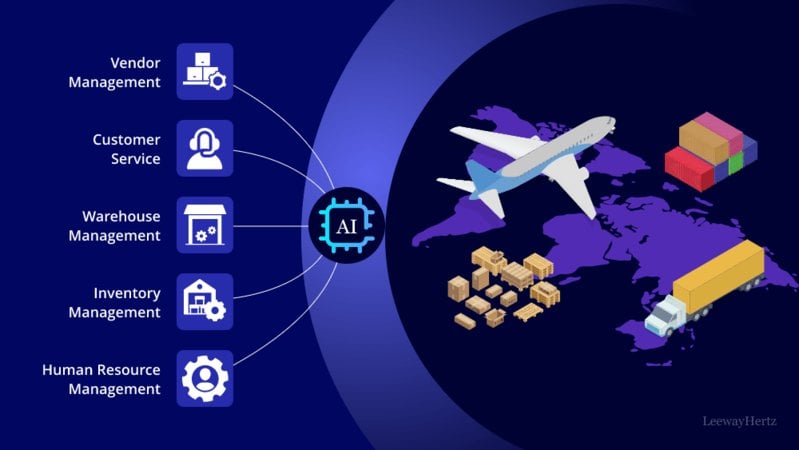
In logistics and supply chain operations, assistants can monitor shipments, issue alerts about delays or shortages, handle common customer messages about returns or delivery status, and suggest route adjustments for fleets. These capabilities help companies reduce lag, improve coordination, and keep fulfillment more accurate under changing conditions.
7. Where AI Assistants Are Headed Next
One major shift is multimodal interaction. Soon, it will feel normal to upload an image, chart, or screenshot and ask the assistant to explain what is wrong, what changed, or what action to take next. The assistant will not be limited to text alone but will reason across several forms of input at once.
Another development is stronger emotional and situational awareness. Assistants are likely to become better at detecting urgency, stress, or tone and adjusting how they respond. That could make interactions feel more supportive and appropriate, especially in customer service, management, and personal productivity settings.
We are also moving toward coordinated agent systems rather than single-purpose helpers. Instead of one assistant handling one request, teams may rely on connected AI agents that manage tasks, documents, updates, and reporting together. This could make collaboration smoother across departments and projects.
Finally, assistants will become more sensitive to environment and context. They may change device settings, open the right tools, prepare meeting materials, or rearrange digital spaces based on what kind of work is about to happen. In time, assistance may become less reactive and more anticipatory by default.
FAQs
Q1: How is a chatbot different from an AI assistant? A chatbot usually responds within a narrower scripted framework. An AI assistant can understand intent more deeply, learn from use, and take action across connected apps and services.
Q2: Can I trust these tools with sensitive data? That depends on the platform and your safeguards. If you are working with private or regulated information, choose encrypted, enterprise-ready systems with clear security controls and data policies.
Q3: Do I need technical expertise to use one well? Not necessarily. Many assistants work through everyday language, and low-code platforms now make more advanced automations accessible to non-developers too.
Q4: Can one assistant cover both personal and professional needs? Yes, in many cases it can. The best approach is usually to separate workflows, permissions, or profiles so home and work tasks do not become mixed.
Q5: What happens if the assistant gets something wrong? Treat outputs as a starting point, especially for important tasks. Review the result, correct it where needed, and refine your setup so future responses become more reliable.
Conclusion
AI virtual assistants have moved far beyond simple voice commands and novelty use. They now function as adaptable productivity partners for students, professionals, educators, founders, and independent workers alike. With the right goals, the right integrations, and a few intentional workflows, they can save time while also expanding what you are able to manage. As they become more context-aware and more deeply woven into digital systems, their role will shift from responding to requests to helping shape the way work and life get done.
 Unlock the Full Potential of Your AI Assistant With These Smart Uses
- AI Assistants for Beginners: Learn the Basics One Step at a Time
- How Medical Software Is Changing Daily Healthcare Experiences in 2026
- Remote Control Systems 2026: Innovations, Industrial Applications, and Future Trends
- How AI Addresses Disruption Across Inventory and Logistics Networks




- Everything Else
Unlock the Full Potential of Your AI Assistant With These Smart UsesMany users still approach AI virtual assistants as if they were just quick-answer tools for simple chores. In reality, current assistants can do far more. They can support planning, writing, analysis, coordination, and day-to-day decision-making in ways that affect both work and personal routines. This guide looks at what these assistants can truly do, how to get stronger results from them, and why they are becoming a bigger part of modern life.- Everything Else
AI Assistants for Beginners: Learn the Basics One Step at a TimeAI assistants are no longer niche experiments reserved for engineers and labs. They now appear in the everyday workflows of students, employees, makers, and entrepreneurs. Whether the task involves drafting text, gathering information, generating visuals, or supporting decisions, these systems are changing how people approach both efficiency and imagination.- Health
How Medical Software Is Changing Daily Healthcare Experiences in 2026In 2026, the push for smarter medical software across healthcare is stronger than at any previous point. These digital systems help organizations run more smoothly, handle patient information with greater accuracy, and stay aligned with changing compliance standards. Whether it is billing platforms that speed up claims processing or electronic records that strengthen coordination between clinicians, medical software covers a broad set of tools that support providers in meaningful ways. Telemedicine platforms are also reshaping access to treatment, especially for people living far from major care centers, proving that software now sits at the center of modern healthcare services.- AI
Remote Control Systems 2026: Innovations, Industrial Applications, and Future TrendsAs demand for operational effectiveness and safety grows, remote control systems continue to evolve rapidly in 2026. It's fundamental to grasp the latest breakthroughs, integration expenses, and value benefits to make informed decisions about these cutting-edge technologies without promotional bias.- AI
How AI Addresses Disruption Across Inventory and Logistics NetworksYou are managing supply chains in an environment where disruption, inventory imbalance, and logistics uncertainty occur simultaneously. Artificial intelligence provides a structured way to analyze risk, optimize inventory, and coordinate logistics decisions with precision, helping you maintain stability, service levels, and cost control.
- A Guide of Waifu Generators How They Work, Their Uses, and the Future You Need in 2025
- How Gesture-Based Access Systems Improve Safety, Efficiency, and User Experience
- A Beginner's Guide to Building a Career in 3D Character Animation
- How to Choose the Right Forklift Hire for Your Business
- Save Big on the 2025 Hyundai Palisade: Tips, Deals, and Buying Secrets
- How Artificial Intelligence Is Shaping the Future of Customer Engagement