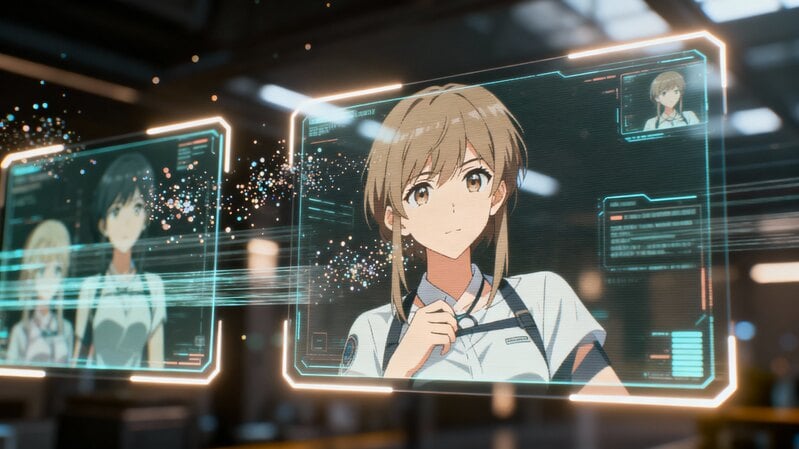
3D design has become one of the most exciting and accessible creative fields of the digital age. From movies and games to architecture and product visualization, three-dimensional art shapes how we imagine and interact with the world. If you have ever dreamed of creating lifelike characters, dynamic animations, or virtual environments, learning 3D design is your entry point.
What Is 3D Design and Why It Matters
3D design is the process of creating three-dimensional visual representations using specialized computer software. Unlike flat 2D drawings, 3D models have depth, allowing you to view and manipulate objects from any angle. This realism makes 3D design essential in industries such as entertainment, architecture, product development, and engineering.
3D design brings ideas to life in ways traditional art cannot. Architects use it to visualize buildings before construction, animators craft lifelike characters for films and video games, and product designers use it to simulate prototypes for testing. The technology’s versatility means that 3D design skills are now valuable across multiple disciplines.
Key Components of 3D Design
To understand how 3D design works, it helps to break it down into its main components:
1. Modeling:
Modeling is the foundation of 3D design. It involves building virtual objects from geometric shapes such as polygons, curves, or voxels. Every 3D model—from a character to a chair—starts as a simple form that is refined into detailed shapes.
2. Texturing:
Once the model is built, textures give it life. Texturing adds color, patterns, and material properties like metal, fabric, or glass. Artists use texture maps and digital painting to create realistic surfaces.
3. Lighting and Rendering:
Lighting defines the atmosphere of a 3D scene, much like photography or cinematography. Rendering converts your 3D model into a final image or animation by calculating how light interacts with surfaces, shadows, and reflections.
4. Animation:
Animation brings static objects to life. It involves moving parts, simulating physics, or creating character motion. Beginners often start by animating simple objects before progressing to complex character rigs.
5. Simulation and Effects:
Advanced 3D design uses simulations for realistic effects such as water, smoke, explosions, or cloth movement. These physics-based techniques make digital environments feel natural and believable.
Essential Tools for Beginner 3D Designers
Choosing the right software is crucial when starting your 3D design journey. Beginners should prioritize tools that are intuitive yet powerful enough to grow with their skills.
Blender
Blender is the top choice for beginners. It’s free, open-source, and packed with professional-grade features for modeling, animation, texturing, and rendering. The Blender community is enormous, offering countless tutorials and plugins.
Autodesk Maya
A leading industry standard, Maya excels in animation and complex modeling. Many film studios and game developers use it professionally. Although it has a steeper learning curve, mastering Maya opens doors to advanced opportunities.
Cinema 4D
Favored by motion graphics designers, Cinema 4D offers a user-friendly interface and seamless integration with Adobe software. It’s ideal for creating visually striking animations and 3D advertisements.
ZBrush
ZBrush specializes in digital sculpting, allowing artists to create highly detailed models—perfect for character design and organic forms. It’s often used in film and game character production.
SketchUp
This tool focuses on architectural and product design. Its simplicity and precision make it excellent for beginners who want to visualize buildings, interiors, or furniture.
Benefits and Challenges in 3D Work
Mastering 3D design brings substantial creative satisfaction. You gain the ability to visualize and share complex ideas. This skill set also commands competitive compensation in job markets.
The learning curve can appear steep initially. Complex software interfaces may overwhelm new users. Persistent practice gradually builds confidence and capability.
Technical constraints sometimes limit creative ambitions. Rendering times can test your patience. Hardware limitations may restrict scene complexity and detail.
Step-by-Step Learning Path for Beginners
Mastering 3D design takes patience and structured learning. Here's a path to help you progress efficiently:
Step 1: Learn the Basics
Start by understanding basic geometry, 3D space, and composition. Familiarize yourself with your chosen software interface.
Step 2: Practice Modeling Simple Objects
Create basic shapes such as cups, tables, or characters. Repetition helps you grasp essential modeling tools.
Step 3: Add Textures and Materials
Learn how textures, colors, and materials affect realism. Experiment with roughness, reflections, and lighting.
Step 4: Explore Lighting and Rendering
Play with light sources, shadows, and rendering engines to produce realistic results.
Step 5: Animate Your Creations
Start with basic motion—rotating or moving objects—before progressing to complex character animations.
Future Directions in 3D Technology
Real-time rendering technology continues advancing rapidly. Game engines like Unreal Engine transform visualization workflows. These tools enable immediate feedback during the creation process.
Virtual and augmented reality create new applications for 3D content. These immersive technologies demand optimized models and efficient workflows. Professionals must adapt their skills accordingly.
Artificial intelligence begins assisting with repetitive modeling tasks. Machine learning algorithms can generate complex geometries automatically. This technology may reshape certain aspects of the workflow.
Building Your 3D Design Career
Specialization often follows initial broad skill development. Focus on specific areas like character modeling or architectural visualization. Deep expertise in a niche can distinguish your professional profile.
Portfolio development remains crucial for career advancement. Showcase your best work through professional online platforms. Include breakdowns that demonstrate your technical and artistic process.
Networking within the 3D community provides valuable opportunities. Participate in online forums and attend industry events. These connections often lead to collaborations and job offers.
 A Practical Guide to Financial Growth Through Passive Income Online
- 3Dキャラクターアニメーションでキャリアを築くための初心者ガイド
- A Complete Guide to Work From Home Packaging and Labeling
- Organize Your Workspace: Smart Packaging and Labeling Ideas to Enhance Focus
- Step-by-Step Graphic Design Classes for Making Your Own VTuber Character



- Job & Education
A Practical Guide to Financial Growth Through Passive Income OnlineFor people aiming to strengthen their finances, online passive income has become an appealing path. Using approaches like affiliate promotions, self-paced digital classes, and blog-based publishing, it is possible to earn revenue that does not depend on constant daily labor. Beyond the monetary upside, this model can free up more time for meaningful work and personal interests. Looking into different online income channels is a practical first step toward greater financial flexibility built around your talents and goals.- Job & Education
3Dキャラクターアニメーションでキャリアを築くための初心者ガイドキャラクタークリエイターは、現代メディアの視覚的アイデンティティを形作る上で重要な役割を果たしています。すべてのヒーロー、クリーチャー、アバターはアイデアとして始まり、デジタルツールを通じて表現豊かで動きのある姿へと変容していきます。- Job & Education
A Complete Guide to Work From Home Packaging and LabelingWhen you explore work from home packaging and labeling opportunities, you gain access to flexible tasks that can supplement your income without formal training. These roles allow you to work independently, organize your schedule, and complete straightforward duties from the comfort of your home.- Job & Education
Organize Your Workspace: Smart Packaging and Labeling Ideas to Enhance FocusAre you struggling to maintain focus while working from home? Remote work presents unique challenges for productivity and organization. This article shows how simple packaging and labeling methods can create a more efficient and focused work environment.- Job & Education
Step-by-Step Graphic Design Classes for Making Your Own VTuber CharacterHave you considered designing your own unique VTuber persona? Many aspiring creators face the initial challenge of visual identity without prior artistic training. This guide explores how beginner graphic design courses provide the foundational skills needed to create a compelling avatar from scratch.
- A Guide of Waifu Generators How They Work, Their Uses, and the Future You Need in 2025
- How Gesture-Based Access Systems Improve Safety, Efficiency, and User Experience
- A Beginner's Guide to Building a Career in 3D Character Animation
- How to Choose the Right Forklift Hire for Your Business
- Save Big on the 2025 Hyundai Palisade: Tips, Deals, and Buying Secrets
- How Artificial Intelligence Is Shaping the Future of Customer Engagement